
CAD conversion as a daily task
CAD conversion is a daily task for mechanical designers. In many projects, 3D models need to be converted between different CAD formats to ensure compatibility with customers, suppliers, or downstream software. In other cases, the geometry itself remains the same, but the coordinate system, orientation, or scale of the data must be modified.
Traditionally, these tasks are handled manually using CAD software. While this approach works, it is often time-consuming and repetitive, especially when conversions need to be done frequently or in batches.
This is exactly where Python-based CAD conversion becomes a powerful alternative.
What can be done with Python for CAD conversion?
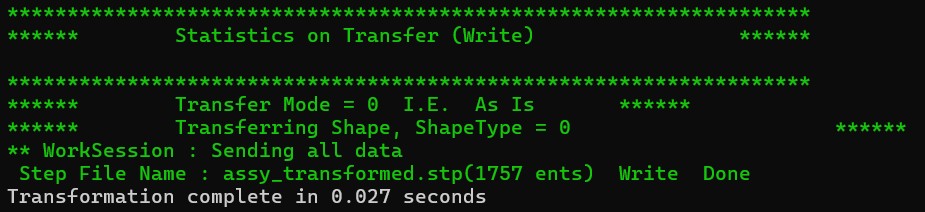
Over the past weeks, I have been working extensively on CAD conversion and transformation workflows using Python, and the possibilities are broader than many engineers expect.
With Python, it is possible to:
- Convert CAD files between common formats (e.g. STEP, IGES, STL, OBJ)
- Apply coordinate system transformations (translation, rotation, mirroring)
- Fix orientation issues between different CAD or simulation environments
- Automate batch conversions for large numbers of files
- Integrate CAD conversion into larger automation or data-processing pipelines
- And much more
Instead of repeating the same manual steps inside CAD software, these operations can be scripted once and reused reliably.
Time savings and productivity gains
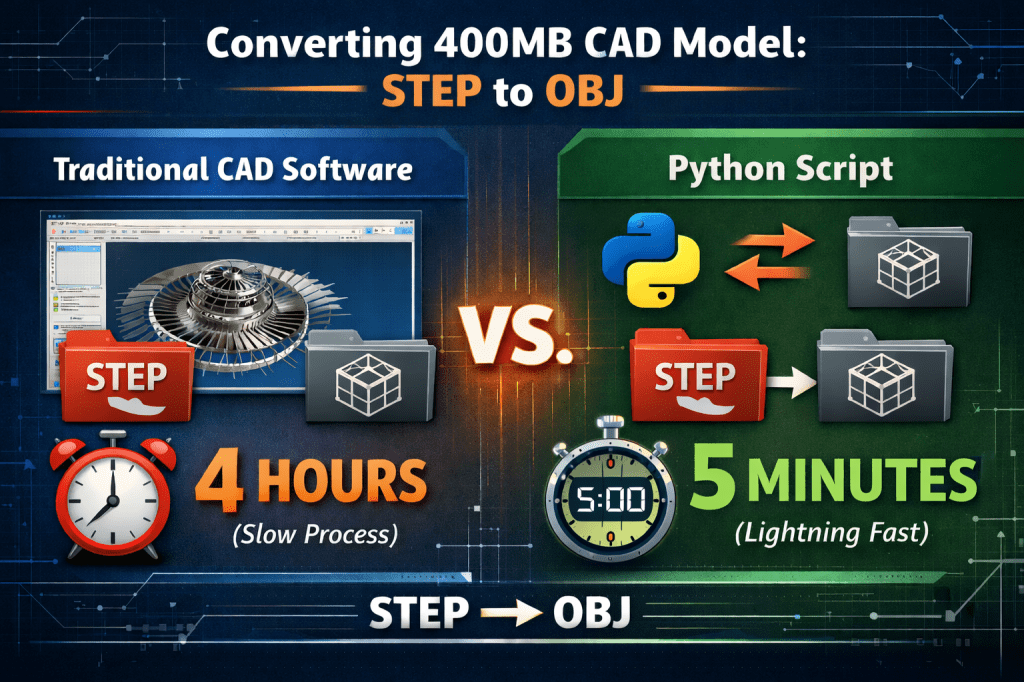
One of the biggest advantages of CAD conversion via Python is speed.
- Python scripts execute conversions significantly faster than manual CAD operations, especially for large models
- Batch processing takes seconds instead of hours
- Results are repeatable and consistent
- Due to large size of the model, CAD software may even fail the conversion.
Another major benefit is that no CAD software needs to be occupied during the conversion. While Python handles the CAD processing in the background, the designer can continue working on other tasks inside their CAD environment. This leads to a measurable productivity increase, especially in busy engineering projects.
Bring Your Concept to Life
Turn your ideas into reliable, production-ready solutions with experienced engineering support. From initial concept to final implementation, we help you move forward with confidence.
Open Cascade and pythonocc-core
At the core of this workflow is Open Cascade, a powerful open-source geometric modeling kernel widely used in professional CAD systems. By using the pythonocc-core module, Open Cascade functionality becomes accessible directly from Python.
This allows direct access to:
- B-Rep geometry
- Topology (faces, edges, solids)
- Meshing algorithms
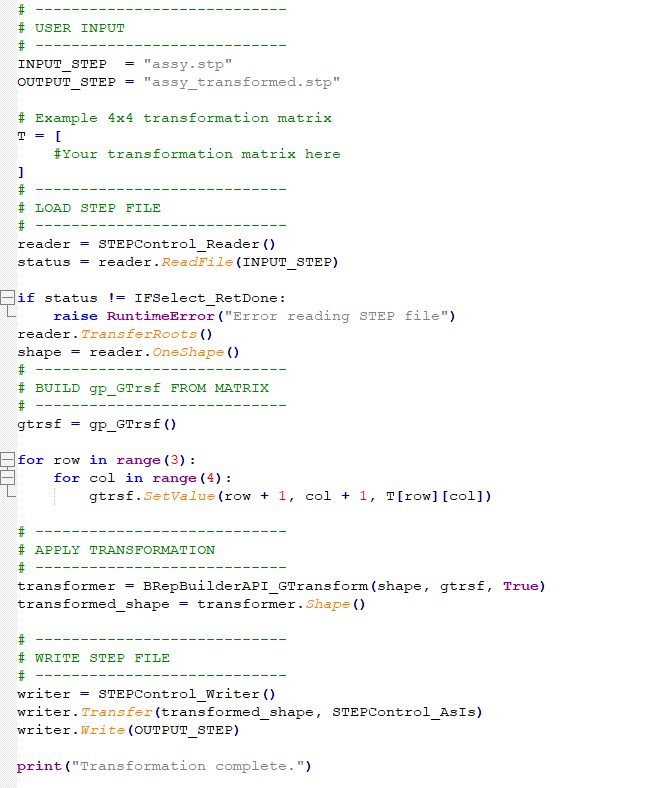
- Transformations using precise mathematical definitions
An example script looks as simple as below:
Python, AI, and modern mechanical design
This workflow is also a practical example of how AI and automation can be applied in mechanical design today.
I previously covered this topic in detail in my article:
👉 [How to use AI in mechanical and automation design (2025 guide)]
Using Python — often developed and refined with the help of AI for non-professionals — makes it possible to eliminate repetitive engineering tasks, reduce errors, and focus more on actual design and problem-solving. CAD conversion is just one example, but it clearly shows the impact of combining engineering knowledge, programming, and AI assistance.
Conclusion
Python is definitely a powerful and efficient alternative solution for basic CAD translations and conversions. For tasks such as format conversion, coordinate system changes, and batch processing, Python-based workflows can outperform traditional CAD-only approaches in both speed and reliability.
From Concept to Reality
With over a decade of experience in machine design and automation, I provide professional support for customers to overcome complex design challenges, increase productivity, and strengthen operational capabilities.
 Industrial Machine Design & Automation
Leave a comment